What is BEAM?
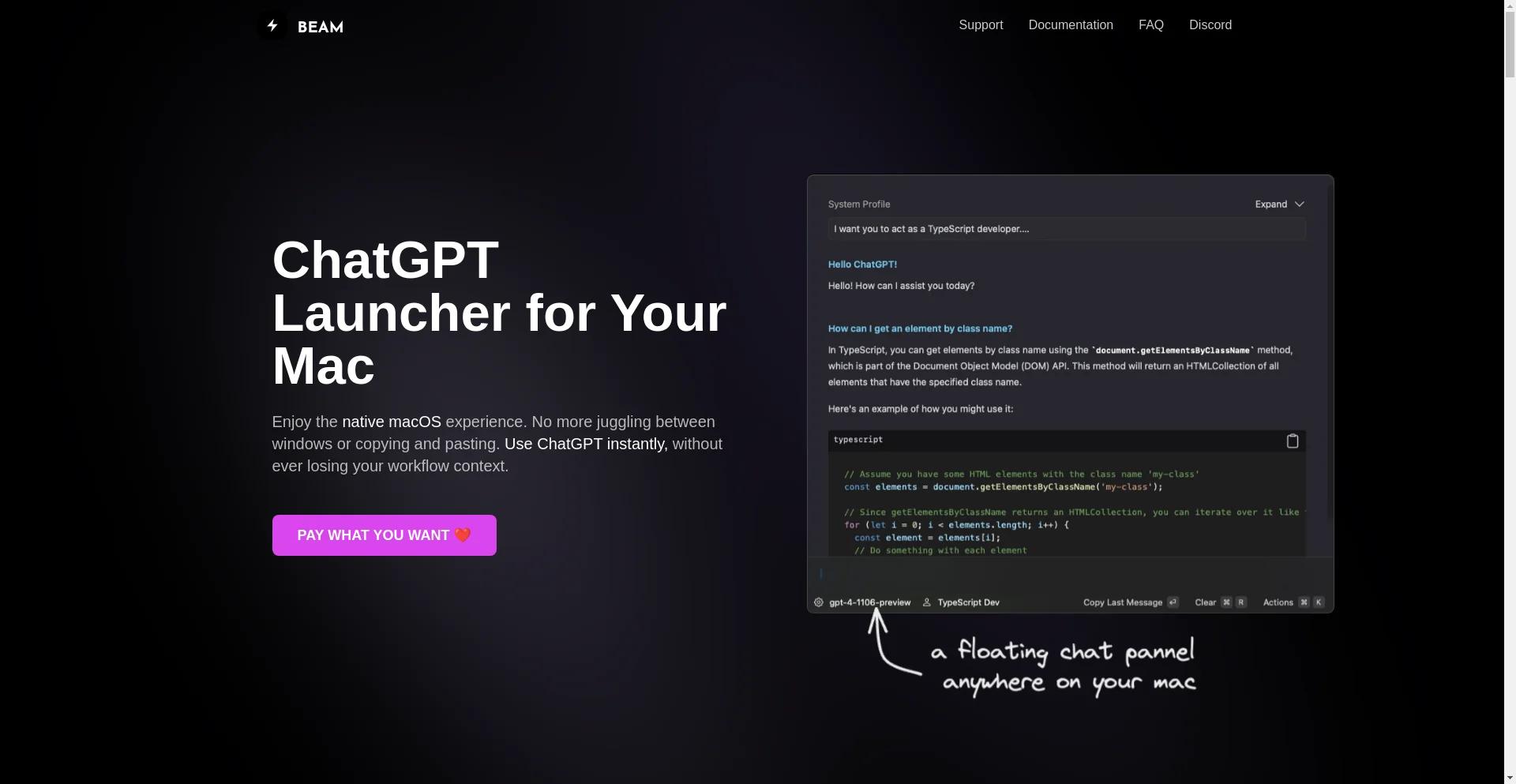
BEAM is a native macOS app that provides a seamless ChatGPT experience, allowing you to interact with the AI model instantly without leaving your workflow context.
Features of BEAM
Native for macOS
BEAM is not an Electron app, ensuring low memory usage, snappy and lag-free performance, and a familiar macOS look and feel.
Floating ChatGPT+
Quickly launch a pop-up chat window that can be used over other applications.
Hotkeys
All features are accessible with a single keyboard hotkey, saving you time and increasing productivity.
Security
BEAM is sandboxed, ensuring it doesn't have access to anything on your system, and only interacts with the OpenAI servers.
Privacy
BEAM only interacts with the OpenAI servers, and all data is saved locally on your machine. We do not have access to a single piece of your data.
Updates & Feedback
BEAM has already received over 20 updates since its initial release, and we continue to listen to your feedback and keep the app up to date.
Minimal UI
Our goal is to keep the UI beautiful, minimal, and distraction-free, so you can get your work done faster and enjoy the day.
Chat With PDF Documents
Use the power of ChatGPT to get summaries, ask questions, find answers, and bring your PDF documents to life.
Create AI Profiles
Configure GPT models to respond precisely according to your needs, and stop depending on outdated, three-month-old threads for unreliable context retention.
How to Use BEAM
Press CTRL + SPACE
Open a floating chat panel without leaving your current context. Select any text, chat about it, and with a single key press, insert it back into your app.
Press a Hotkey
Select an area on your screen and ask ChatGPT about it.
Interact with Your System
Create actions to summarize websites, translate texts, explain concepts, and more.
Pricing
Pay What You Want
We offer a flexible pricing model, allowing you to pay what you want for the app.
Frequently Asked Questions
Do I need a ChatGPT+ Subscription to use Beam?
No, you don't need a ChatGPT+ subscription to use BEAM.
Do I need to be a developer to use Beam and/or API keys?
No, you don't need to be a developer to use BEAM and/or API keys.
Where can I get an API key?
You can get an API key from the OpenAI website.
Do you offer a free trial?
Yes, we offer a free trial for BEAM.
Is my API key secure?
Yes, your API key is secure, and we do not store it.
Does Beam work with GPT-4?
Yes, BEAM works with GPT-4.
Does Beam require any special system permissions?
No, BEAM does not require any special system permissions.
What about security?
BEAM is sandboxed, ensuring it doesn't have access to anything on your system.
Do you store my data?
No, we do not store your data. All data is saved locally on your machine.
Do you offer refunds?
Yes, we offer refunds for BEAM.
Is Beam built with Electron?
No, BEAM is not built with Electron. It's a native macOS app.